


Custom vehicle for your Garmin GPS :D


Thread Starter
Registered User
Joined: Apr 2008
Posts: 2,208
Likes: 1
 Custom vehicle for your Garmin GPS :D
Well, I got my Honda Portable Navi (garmin nuvi 350) unit for Xmas as I am sure a lot of us did with the great deals on them. After doing some research I found out that I could make my own vehicle image as well as add custom POIs (points of interest)

At the top of this screen shot you can see the POI warning me of a speed camera

I downloaded one file that has all the speed and redlight cameras in the country from a site called POIfactory.com. They require you to be an active member to DL which means 3 weeks of posting or $5 membership... TOTALLY WORTH IT.
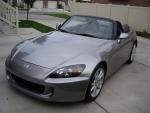
As for the vehicle, I found this site http://techmods.net/nuvi/ which converts .SRF files (Garmin's 3D vehicle image file) into .PNG files which can be edited in programs like photoshop. I used a free program called Paint.NET to edit mine. Basically you just have to get 36 pictures from an angle and 36 from the top in 10 degree increments. I used another free and really cool 3d rendering program called Google Sketchup (which already has 3d S2000's available for download) to get my 36 (x2) images.
This one came out pretty good for my first try but I am actually going to take it a step further and take actual photos of my new AutoArt 1:18 S2000 replica (my 2nd favorite Xmas present!) I will write up a How-To if there is enough interest. Until then, you guys can hit me up via p.m.s if you have any questions.
BTW... has anyone figured out how to kill that stupid Safe Mode on these Honda\Garmins????
At the top of this screen shot you can see the POI warning me of a speed camera
I downloaded one file that has all the speed and redlight cameras in the country from a site called POIfactory.com. They require you to be an active member to DL which means 3 weeks of posting or $5 membership... TOTALLY WORTH IT.
As for the vehicle, I found this site http://techmods.net/nuvi/ which converts .SRF files (Garmin's 3D vehicle image file) into .PNG files which can be edited in programs like photoshop. I used a free program called Paint.NET to edit mine. Basically you just have to get 36 pictures from an angle and 36 from the top in 10 degree increments. I used another free and really cool 3d rendering program called Google Sketchup (which already has 3d S2000's available for download) to get my 36 (x2) images.
This one came out pretty good for my first try but I am actually going to take it a step further and take actual photos of my new AutoArt 1:18 S2000 replica (my 2nd favorite Xmas present!) I will write up a How-To if there is enough interest. Until then, you guys can hit me up via p.m.s if you have any questions.
BTW... has anyone figured out how to kill that stupid Safe Mode on these Honda\Garmins????








Trending Topics
Registered User

Joined: Dec 2007
Posts: 3,947
Likes: 8
From: Raleigh, NC
I find it hard not to throw my nuvi out the window. It has brought me miles of course so many times that I use google maps more than anything. It's good for finding food and gas, and from going from town to town, but that's about it. The safe mode is buried in the navigation menu. The best thing to do to insure you get where you want is to find it on google maps and then send it over usb to the nuvi.

Registered User
Joined: Aug 2007
Posts: 7,712
Likes: 1
I actually broke the screen on my Sony Nav a few weeks ago...and rarely (if ever) use my Garmin.
These days I find that I spent far more money on nav units that I don't use than I would've spent just paying for Verizon's nav program on my phone for the past 2 years (and I'm a lot less likely to the throw the phone out the window than the navi )
)
These days I find that I spent far more money on nav units that I don't use than I would've spent just paying for Verizon's nav program on my phone for the past 2 years (and I'm a lot less likely to the throw the phone out the window than the navi
)