When you click on links to various merchants on this site and make a purchase, this can result in this site earning a commission. Affiliate programs and affiliations include, but are not limited to, the eBay Partner Network.
The first pic I've been using on my work computer. My Boy and My toy. I think he's ready to drive it already. He usually meets me in the driveway as I'm coming in from work to get the final pull in. The second shot is just a different view pretty much.
How'd you post a screen shot? Never mind ... but here's the jpg that I use (of course my icons are missing.) I call it "my boys and toys."
Print Screen, then open power point or word or a compatable photo editor and right click, then paste. Save as whatever you want to call it and you're done.
hit the prt sc (print screen) key... go to start / programs / accessories / paint... hit control + v and then the picture will appear, then just save as normal
Originally posted by stekson hit the prt sc (print screen) key... go to start / programs / accessories / paint... hit control + v and then the picture will appear, then just save as normal
-stek
Stekson, you are the bomb! Thanks for the dummies tutorial .



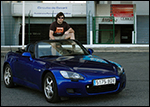
 Mine has a Blue Montecarlo S2000...











 .
.