


Portraits


Thread Starter

Joined: Jun 2003
Posts: 3,926
Likes: 0
From: Orange
 Portraits
I am trying to take some portraits of my little one...Here are a few pics I have taken...I was wondering if I could get some lighting tips from some of you to help me take some better pictures...
For starters...I do realize I should use a lighter background..
TIA


For starters...I do realize I should use a lighter background..
TIA


Registered User
Joined: Aug 2005
Posts: 6,242
Likes: 0
From: Branford, CT
Originally Posted by APLUS2K,Jun 10 2008, 03:28 PM
Should I add more light somewhere? This is what I am trying to figure out...I do have umbrella lights I can set up. Also, if I do set up the lights, where should I place them?
Trending Topics

Registered User
Joined: Apr 2001
Posts: 8,601
Likes: 1
From: La Habra
Okay, if you feel the need to go all pro on us, you should probably use a "rim" or kicker light on her head (aimed from behind, not shining directly into the camera and not spilling onto the visible part of the chair) to separate the edges from the background more.

Registered User

Joined: Mar 2008
Posts: 770
Likes: 0
From: OkieHomie
Originally Posted by F1-Fanatic,Jun 10 2008, 01:45 PM
It all depends on what you are looking to achieve... Take a look at this
I am a studio photographer in Orlando and we use several different lighting types, from high key to profiles and traditionals.
Honestly, whatever you did looks pretty good already. It could be a little lighter, but good job. I actualy like your background, I wish I had something like it at my studio!


Former Moderator
Joined: Jun 2003
Posts: 18,852
Likes: 1
From: New York
Norm's link is the "right" way, but sometimes, the best shots are candids, and a setup shot is not gonna happen. With that in mind, you want a hotshoe flash boucing off the walls or ceiling for the best "on the fly" effect....something like this...
Shot with a 70-200 2.8 with a 580EXII....


Also, PM bkw.....
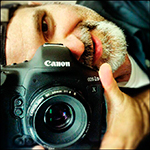
He had a camera specially made by Canon that can only take photos of his little girl. He is the king of that.
Shot with a 70-200 2.8 with a 580EXII....
Also, PM bkw.....
He had a camera specially made by Canon that can only take photos of his little girl. He is the king of that.