


? for the pros :D


Thread Starter


Joined: May 2004
Posts: 17,254
Likes: 75
From: VA
 ? for the pros :D
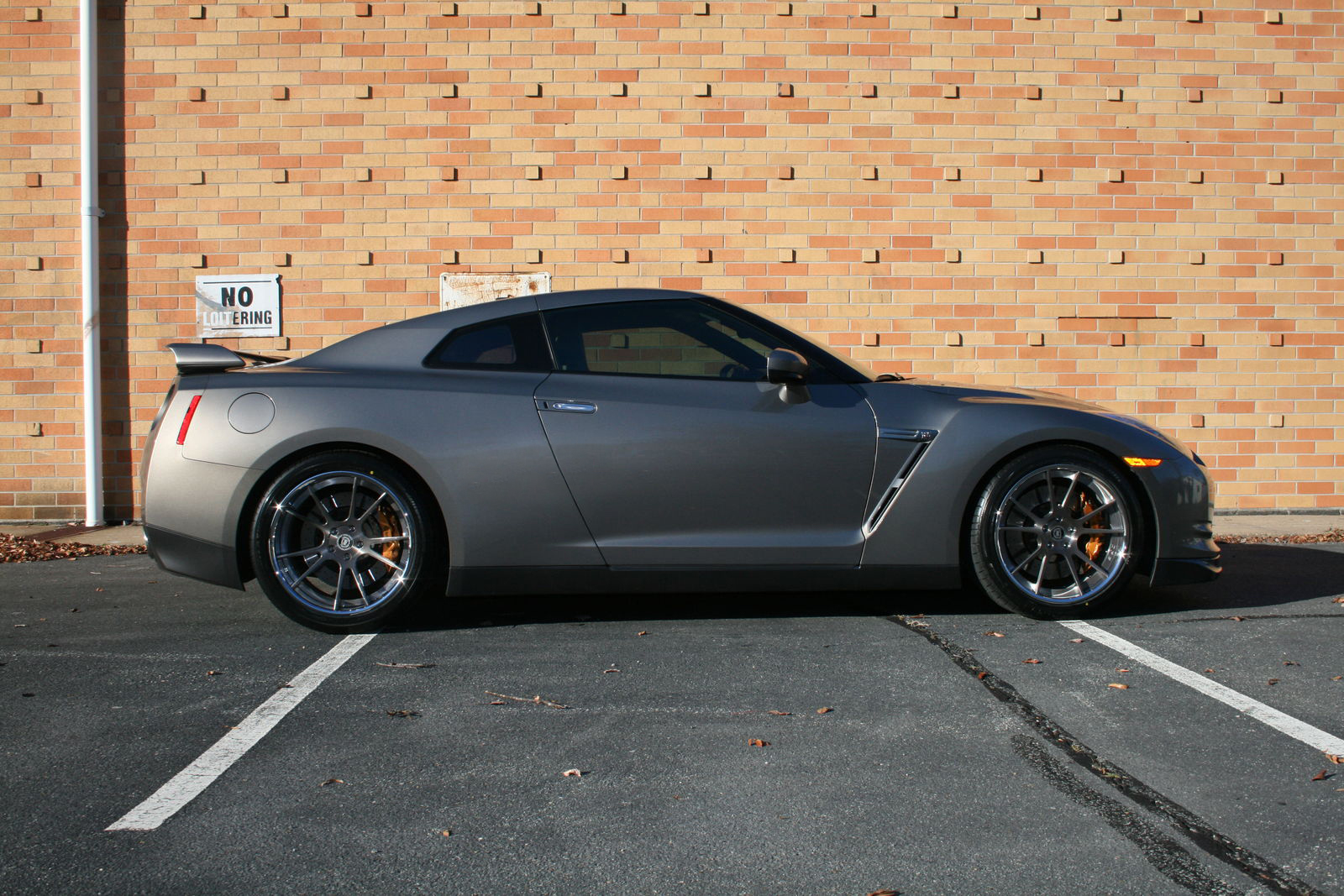
So I've taken some pictures of my "new to me" car and need to get rid of the flash that's in the middle of the car. Any suggestions? I have lightroom 4 on my computer.
Any help that you guys can give me would be greatly appreciated.
Tom
Any help that you guys can give me would be greatly appreciated.
Tom





Registered User
Joined: Apr 2001
Posts: 8,601
Likes: 1
From: La Habra
This one does look easy to clean up with cloning or the healing brush in Photoshop. It is a small area surrounded by the color and texture you want.
If you ever want to avoid this during shot set-up you can set your flash off-camera and at a steeper angle to the car, aimed more from left to right or top left to bottom right for example. The hot spot is a direct reflection angled from the flash-to-lens, just like red eye in people shots.
If you ever want to avoid this during shot set-up you can set your flash off-camera and at a steeper angle to the car, aimed more from left to right or top left to bottom right for example. The hot spot is a direct reflection angled from the flash-to-lens, just like red eye in people shots.

Trending Topics


Joined: Aug 2010
Posts: 3,326
Likes: 30
From: Phoenix, AZ
It's all pretty easy once you you learn how. It's the Not Knowing part that seems to make it hard. I would also suggest indirect lighting, not direct sunlight. Try for a fully shaded area, but not under a tree, which would give bright and dark spots to deal with. A camera-flash bracket could place your flash unit high enough above your lens to avoid the "flash" back.
Thread Starter
Joined: May 2004
Posts: 17,254
Likes: 75
From: VA
I was trying to use the sunlight to bring out the color of the car, which unfortunately is a pain in the butt.  I did get some good pictures of the car, this is just one of the pictures that I liked but it had the flash in the middle of the car. I'm thinking also that I should of had the sun at my back vs. on the left side, which should have shown the color a little more.
If I'm wrong in thinking this, any feedback would be great.
I do appreciate the feedback and suggestions though.
I did get some good pictures of the car, this is just one of the pictures that I liked but it had the flash in the middle of the car. I'm thinking also that I should of had the sun at my back vs. on the left side, which should have shown the color a little more.If I'm wrong in thinking this, any feedback would be great.
I do appreciate the feedback and suggestions though.
