When you click on links to various merchants on this site and make a purchase, this can result in this site earning a commission. Affiliate programs and affiliations include, but are not limited to, the eBay Partner Network.
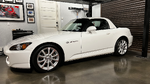
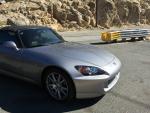
I used the CD changer plug in the trunk of my 04 AP2. The plug is tied to the top of the gas tank next to the spare tire. I took the trim panel off that is next to the removable spare tire trim panel, but I think it would be reachable if you just take the spare tire out. There is a wire tie that holds the wire to the car, I just pulled it out of the hole that it’s pushed into. There is a dummy cover on the 14 pin connector which you must take off. The slight problem is that the plug in the trunk is a 14 pin female plug and the plug on the Crux BTS-HN2 has the same 14 pin female plug. I bought the Moonet Y connector below and just used the two male ends and taped off the female end. This makes it all completely plug and play and takes about 15 minutes to do. After that you just have to pair your phone to the Crux and press the Aux/CD button on the factory radio. The Crux unit only streams music (not phone) either by Bluetooth or there is a 3.5mm or USB sockets for direct hookup. The USB port will charge your phone also. I’m very pleased with the Crux unit, easy connection very good sound quality. This is a quick easy inexpensive way to add Bluetooth Music streaming to your stock radio.
Agree but that is unless for some reason you want to keep that original radio look. For $65, just add a few bucks more and you can get a new, modern aftermarket unit that has everything integrated. Sounds will be much better too. Of course you can go back to stock anytime you want to sell the car....all plug and play.
Aftermarket radios interface with the controls on the dash by the Start button or is some adapter required to retain that function? My radio door is closed all the time making it easy to forget I even have one.
I did debate that several times, new vs stock radio due to exactly what you said about only a few bucks more, but in the end I liked the stock look better. I generally only listen to it if I’m alone in the car and I always drive with the top down so as they say acoustics are right out the window (roof actually). I’m very impressed with how much better the stock radio sounds when you stream music to it. The little antenna and 16 year old tuner leave a little to be desired for radio listening. To be fair though I did replace the factory speakers with a set of Polk Audio DB 652 because one of the original speakers was not sounding good. This was the perfect solution for me and I’m very satisfied with the results.
Some of the "modern" radios can be a pain. If I try to charge my iPhone in my Ford Expedition something called "apple car play" takes over the entire radio. Gotta use a USB adapter in one of the power points to avoid this.
Years ago I spent thousands of dollars on high end audio equipment in my home and cars. These days I rarely have the radio on in either location. I have a feeling this is generational.
I used the CD changer plug in the trunk of my 04 AP2. The plug is tied to the top of the gas tank next to the spare tire. I took the trim panel off that is next to the removable spare tire trim panel, but I think it would be reachable if you just take the spare tire out. There is a wire tie that holds the wire to the car, I just pulled it out of the hole that it’s pushed into. There is a dummy cover on the 14 pin connector which you must take off. The slight problem is that the plug in the trunk is a 14 pin female plug and the plug on the Crux BTS-HN2 has the same 14 pin female plug. I bought the Moonet Y connector below and just used the two male ends and taped off the female end. This makes it all completely plug and play and takes about 15 minutes to do. After that you just have to pair your phone to the Crux and press the Aux/CD button on the factory radio. The Crux unit only streams music (not phone) either by Bluetooth or there is a 3.5mm or USB sockets for direct hookup. The USB port will charge your phone also. I’m very pleased with the Crux unit, easy connection very good sound quality. This is a quick easy inexpensive way to add Bluetooth Music streaming to your stock radio.
I followed your directions, and it worked perfectly. Perfect solution for those of us who want to keep the car original. I really appreciate it.
Some of the "modern" radios can be a pain. If I try to charge my iPhone in my Ford Expedition something called "apple car play" takes over the entire radio. Gotta use a USB adapter in one of the power points to avoid this.
Years ago I spent thousands of dollars on high end audio equipment in my home and cars. These days I rarely have the radio on in either location. I have a feeling this is generational.
-- Chuck
I believe you are correct there Chuck, I always had a nice stereo/turntable etc in the house, now I dont even have a stereo in the house, and gave away my albums to my daughter..



 Adding Bluetooth to the stock radio.








 Gotta use a USB adapter in one of the power points to avoid this.