Detailed Drawing of S2000





Registered User
Joined: Mar 2003
Posts: 2,640
Likes: 0
From: Palo Alto

Originally Posted by jasonjm,Nov 2 2006, 07:33 AM
This is a vector painted/drawn/filled photo. You get good results from using Illustrator or the like (PS doesn't do vectors!).
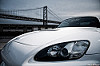
Upon closer inspection this looks like a 3d model passed through a vector shader. The under hood area looks to be a bump mapped texture. The wheels seem like they're lacking a good reflextion map, looks very phong. Also the shadow is very hard (if it was 3d), due to a single or few light sources. It could be a post production shadow.
The background gradient looks post too.
Either way the image looks good!!!
Damn i'm good...i visited the url tagged on the image....this is a rendering.
Edit #3:
- The wheels are indeed 3d as I said.
- He does vectorize an image.
- He uses vector passes in PS, not in Illustrator (what a pain in the butt).
This guy is good.
Upon closer inspection this looks like a 3d model passed through a vector shader. The under hood area looks to be a bump mapped texture. The wheels seem like they're lacking a good reflextion map, looks very phong. Also the shadow is very hard (if it was 3d), due to a single or few light sources. It could be a post production shadow.
The background gradient looks post too.
Either way the image looks good!!!
Damn i'm good...i visited the url tagged on the image....this is a rendering.
Edit #3:
- The wheels are indeed 3d as I said.
- He does vectorize an image.
- He uses vector passes in PS, not in Illustrator (what a pain in the butt).
This guy is good.


Registered User
Joined: Feb 2006
Posts: 1,991
Likes: 3
From: Blue Bell, PA
Originally Posted by rugsr,Nov 2 2006, 07:54 AM
WOW, THAT PIC IS AWESOME!
Im sure this can be done in PS CS2 right "jasonjm"
Im sure this can be done in PS CS2 right "jasonjm"