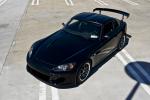
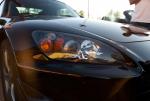
The S2000 Gallery Cornucopia of sight and sound! Show your friends your S2000 photos, S2000 images, S2000 photochops and S2000 videos.

S2000 sittin low in the dark

Thread Tools
 
Old Dec 9, 2006 | 09:19 AM
  #21  
ryuken's Avatar
Registered User
15 Year Member
Liked
Loved
Community Favorite
 
Joined: Sep 2006
Posts: 1,333
Likes: 4
From: Texas
Default

Awesome pics!!!
Reply
Old Dec 9, 2006 | 09:29 AM
  #22  
RentARacer's Avatar
Registered User
 
Joined: Oct 2005
Posts: 28
Likes: 0
From: Newark, De
Default

Number 4 is just awesome. Great shots
Reply
Old Dec 9, 2006 | 09:31 AM
  #23  
FISH22's Avatar
Registered User
Gold Member (Premium)
 
Joined: Nov 2005
Posts: 14,275
Likes: 12
From: Virgnia
Default

wow, awesome pics. some of those would make great s2000 ad's!!
Reply
Old Dec 9, 2006 | 09:47 AM
  #24  
Mugen_is_best's Avatar
 
Joined: Aug 2006
Posts: 907
Likes: 24
From: SoCal
Default

you need to send me the high resolution pictures so i can use them as my wallpaper...please
Reply
Old Dec 9, 2006 | 09:51 AM
  #25  
Mugen_is_best's Avatar
 
Joined: Aug 2006
Posts: 907
Likes: 24
From: SoCal
Default

preferably #3 and 10
Reply
Old Dec 9, 2006 | 10:16 AM
  #26  
kpxguy411's Avatar
Registered User
 
Joined: May 2005
Posts: 4,367
Likes: 0
From: Seattle, WA
Default

Nice shots!!
Reply
Old Dec 9, 2006 | 10:23 AM
  #27  
ideugene's Avatar
Registered User
 
Joined: Mar 2003
Posts: 5,898
Likes: 0
From: NYC
Default

Pictures look great. I want to do that. Its too bad my car is black to begin with so it won't pop like yours.
Reply
Old Dec 9, 2006 | 10:39 AM
  #28  
beanolo's Avatar
Registered User
 
Joined: Mar 2003
Posts: 24,767
Likes: 1
From: soopasoak dat hoe.
Default

#4 is a nice shot dude. post up 1280x1024
Reply
Old Dec 9, 2006 | 11:05 AM
  #29  
Driv300mph's Avatar
 
Joined: Jan 2004
Posts: 3,316
Likes: 1
From: Little Elm, TX
Default

Great shots!

Is there a tutorial on how to make the B&W Background in Photoshop? Been wanting to do that for a while...

Do you use the magic wand or Lasso or something to select?
Reply
Old Dec 9, 2006 | 11:21 AM
  #30  
Alexs '05's Avatar
Thread Starter
Registered User
 
Joined: Nov 2005
Posts: 1,339
Likes: 39
Default

Originally Posted by Driv300mph,Dec 9 2006, 03:05 PM
Great shots!

Is there a tutorial on how to make the B&W Background in Photoshop? Been wanting to do that for a while...

Do you use the magic wand or Lasso or something to select?
Thanks guys, I'll get the desktops posted up this evening
Is there a tutorial on how to make the B&W Background in Photoshop? Do you use the magic wand or Lasso or something to select?
Image > Mode > Monochrome/Grayscale (forget the name) - then you're done

For my shots, I did the monochroming, selected all, copied, and then undid twice (once un-select, once un-b&w) which brings you back to color.

then I pasted the b&w on top. from there, I selected eraser w/ fading edges, set anywhere from 10px-25px and zoomed in from 250%-500% and began erasing the b&w car exposing the color car on the layer underneath but only going around the edges (not erasing middle of doors, etc)

then, zoomed out to 25%-100% and selected the lasso tool, and ALT+clicking slowly selected all the b&w still left in the car and once all selected, delete, exposing the full color car on the layer below.

im really bad with explaining things, but it's much easier than it sounds, and I hope you understand what I mentioned above
Reply


All times are GMT -8. The time now is 10:14 AM.