


HDMI Help


Thread Starter
Community Organizer
Joined: Feb 2001
Posts: 59,877
Likes: 12
From: Area 51
 HDMI Help
I got 1 HDMI input but I got 2 HDMI I need to use.
My HD DirectV Box
and HD DVD Upvert.
I know. I can use the Component Cables, but the pic quality is not the same. For the DVD, to upvert it needs HDMI.
Is there a splitter to the TV? 2 Female to 1 male?
BC
My HD DirectV Box
and HD DVD Upvert.
I know. I can use the Component Cables, but the pic quality is not the same. For the DVD, to upvert it needs HDMI.
Is there a splitter to the TV? 2 Female to 1 male?
BC
Community Organizer


Joined: May 2002
Posts: 11,356
Likes: 234
From: seattle
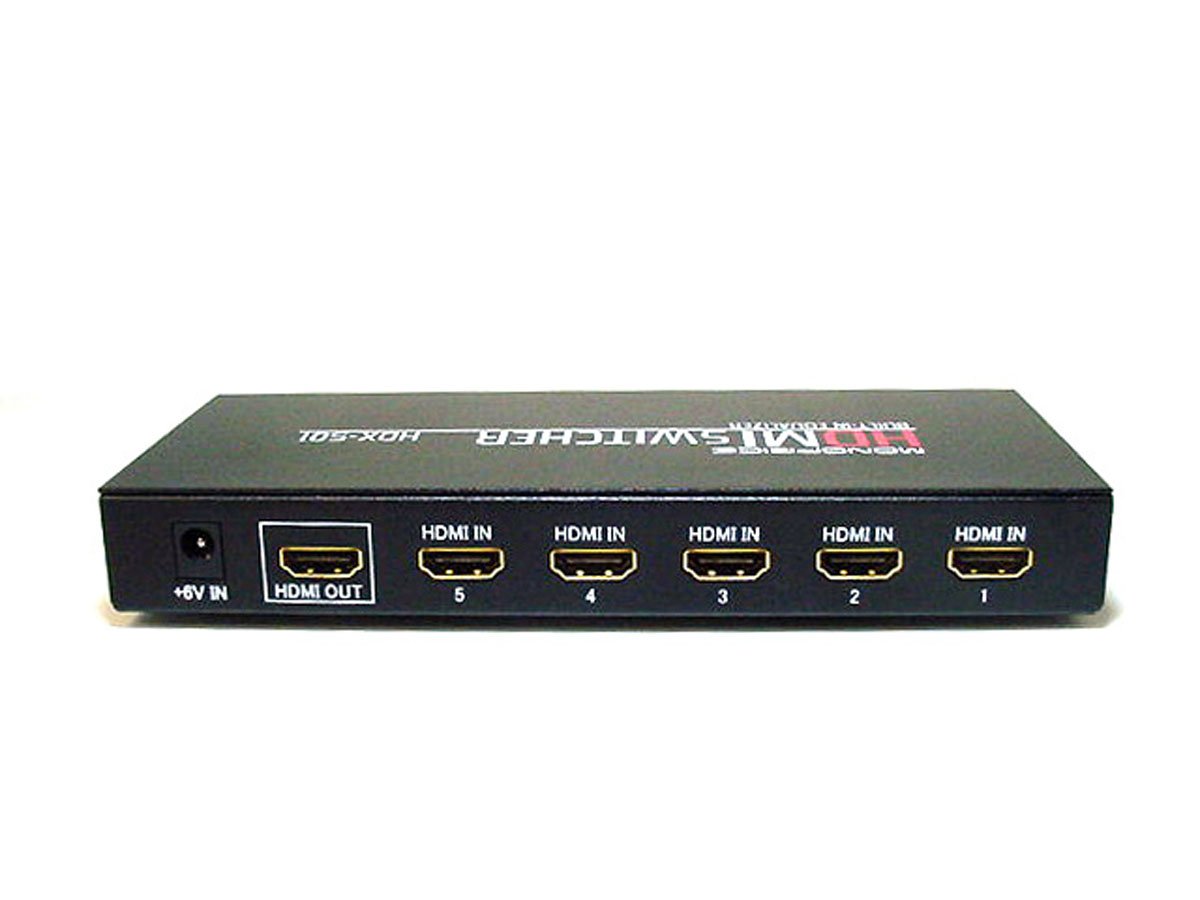
You can get a high end receiver with multiple inputs or a switcher:
http://club.cdfreaks.com/showthread.php?t=160109
I am using a setup with DVI and HDMI together. You can get adaptors that go HDMI to DVI. IIRC there isn't much difference in picture quality. You don't get sound with DVI but if you have everything hooked up through your receiver that really won't matter too much.
http://club.cdfreaks.com/showthread.php?t=160109
I am using a setup with DVI and HDMI together. You can get adaptors that go HDMI to DVI. IIRC there isn't much difference in picture quality. You don't get sound with DVI but if you have everything hooked up through your receiver that really won't matter too much.

Thread Starter
Community Organizer
Joined: Feb 2001
Posts: 59,877
Likes: 12
From: Area 51
Originally Posted by 00S2K01S4,Mar 21 2006, 11:15 PM
I would recommend getting a receiver with switching capabilities. I run HDMI Dish to DVI Plasma and then my DVD player is using components. Did you get the new HD DVD player?

BC


Former Moderator
Joined: Jun 2003
Posts: 18,852
Likes: 1
From: New York
Originally Posted by MikesS2K,Mar 22 2006, 08:34 PM
you can get a 2 port switch for a little less than $100.
P.S. isn't the electronics forum for car electronics. off-topic for stuff like this?
visit AVSforum.com for more specific help
P.S. isn't the electronics forum for car electronics. off-topic for stuff like this?
visit AVSforum.com for more specific help

Trending Topics

Registered User
Joined: Feb 2006
Posts: 1,328
Likes: 0
i use monster components for my cable box and hdmi for the DVD player...works great...however if you dont want to use components just get a hdmi to DVI cable and an audio cable...but i dont really think thats necessary...good quality components should work fine...unless you are trying to save wire space...

Registered User
Joined: Mar 2006
Posts: 82
Likes: 0
From: West Chester, OH
The big question is can you ACTUALLY tell a difference between the HDMI and component cables on your dish's box? If you can't tell the difference, no use spending all that money.. run components and a fiberoptic or coaxial line for sound for the cable box and HDMI for the DVD player.
I have the same problem as you. My TV only has the 1 HDMI port. I'm using mine with the upconverting DVD player as that's the only way to get the functionality. Now to me, that made a huge difference compared to component video with DVDs. Where as with the HD digital cable, not so much of a noticeable difference. The HDMI's kind of a waste at the same time with the DVD player, though, since I don't listen to DVD audio through my TV. DVI would be best here, but the TV doesn't support it.
I wouldn't worry about buying a splitter unless YOU can really tell a difference in picture quality. Spend the money on the S . My $.02.
I have the same problem as you. My TV only has the 1 HDMI port. I'm using mine with the upconverting DVD player as that's the only way to get the functionality. Now to me, that made a huge difference compared to component video with DVDs. Where as with the HD digital cable, not so much of a noticeable difference. The HDMI's kind of a waste at the same time with the DVD player, though, since I don't listen to DVD audio through my TV. DVI would be best here, but the TV doesn't support it.
I wouldn't worry about buying a splitter unless YOU can really tell a difference in picture quality. Spend the money on the S
. My $.02.