


How do you post your own pics from mac


Registered User
Joined: Oct 2007
Posts: 4,026
Likes: 0
From: the 'burgh/orlando/soCal soon!

i attach it to my post just how i would an email. do not use the quick reply @ the bottom.....either push "use full editor" under that box or push the big "reply" on bottom right of page, just above that box. "choose file", and don't forget to "attach this file" (i often forget haha).
if u dont want to attach them, u can upload your pic to the gallery and take it's img code, and insert it into the reply. or u can use an image hosting site like photobucket or something.
did i answer it properly?
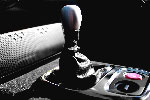
here is a pic im attaching from my mac right now, so you can see how attachments show. i do not think they show in quotes if someone is to quote that post:

if u dont want to attach them, u can upload your pic to the gallery and take it's img code, and insert it into the reply. or u can use an image hosting site like photobucket or something.
did i answer it properly?
here is a pic im attaching from my mac right now, so you can see how attachments show. i do not think they show in quotes if someone is to quote that post:

Thread
Thread Starter
Forum
Replies
Last Post