


Example of Simple Post Process

Thread Starter

Joined: Dec 2002
Posts: 5,907
Likes: 2
From: NYC
 Example of Simple Post Process
I posted this on the Metro forum. I might as well post here as well. This is a pic Nibble took during F1 @ Montreal.
*** This is not my usual workflow. This is just an "on the fly" re-edit. ***
Quick & dirty 2min. post process of this pic.

Step 1
I fished around for the proper color temperature by using the midtone eyedropper. I choose a spot on the concrete, as that will give me a color close to neutral gray. Ideally, you would want to color balance on ACR w/ a RAW file.
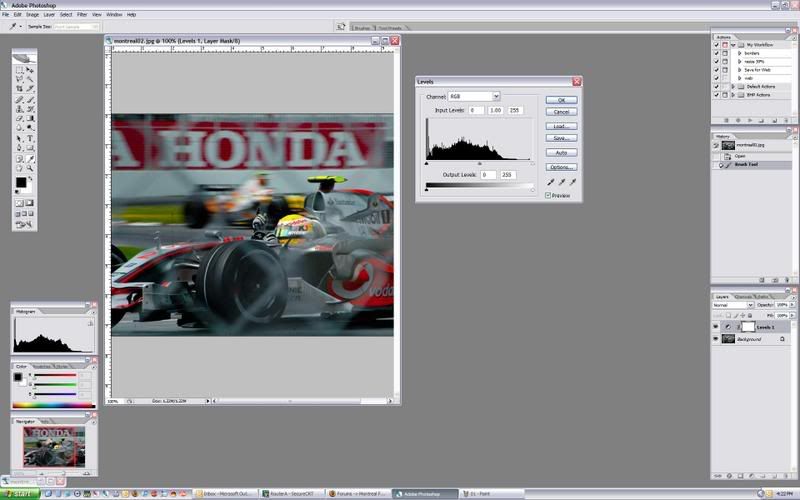
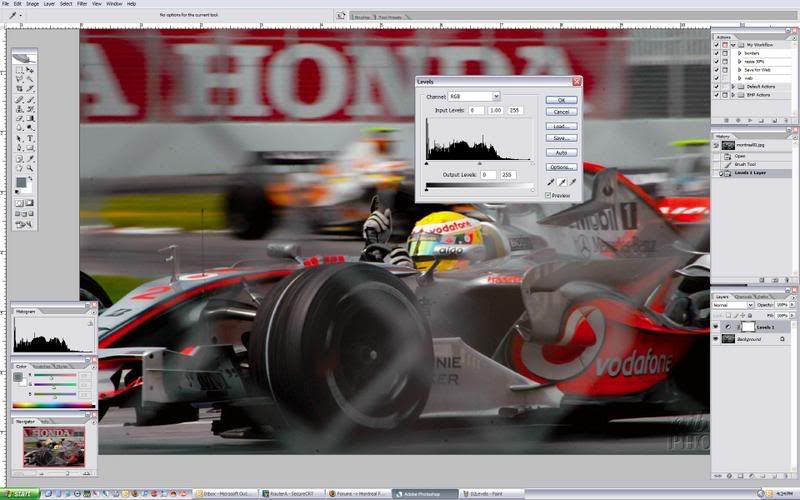
Step 2
Added some contrast to the image via Levels.
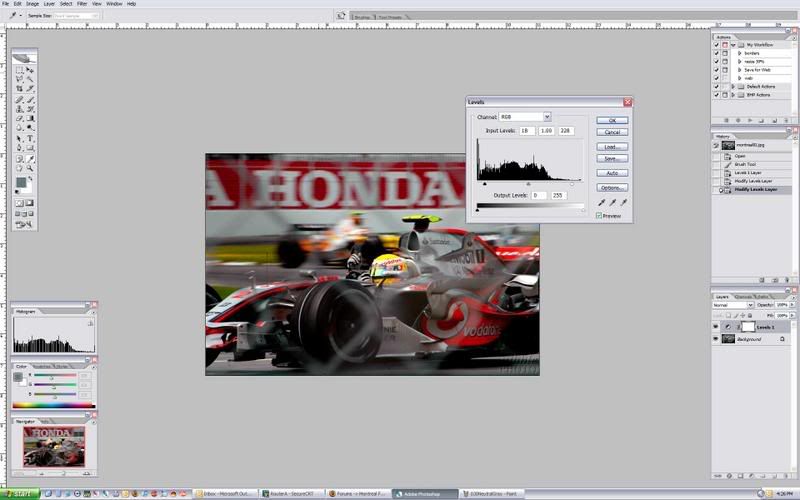
Step 3
Reduce the curve. I want to reduce the background image, so that the subject pops out. I have a layer mask with the subject showing through the mask.
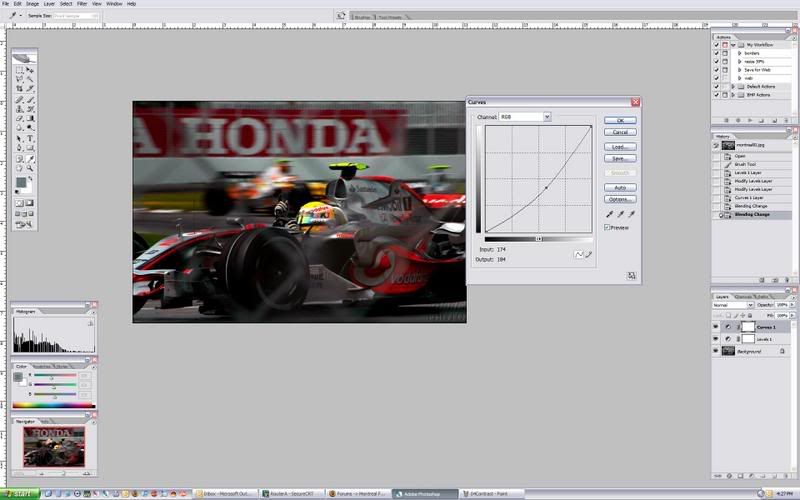
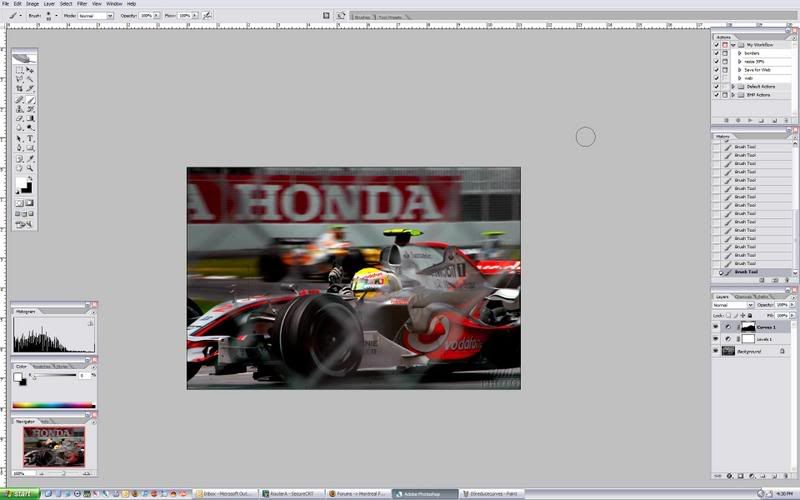
Step 4
Created a copy of the background layer. I bumped the shadows & dragged the curves layer mask. I then inverted the layer mask. Making the subject stand out even more.
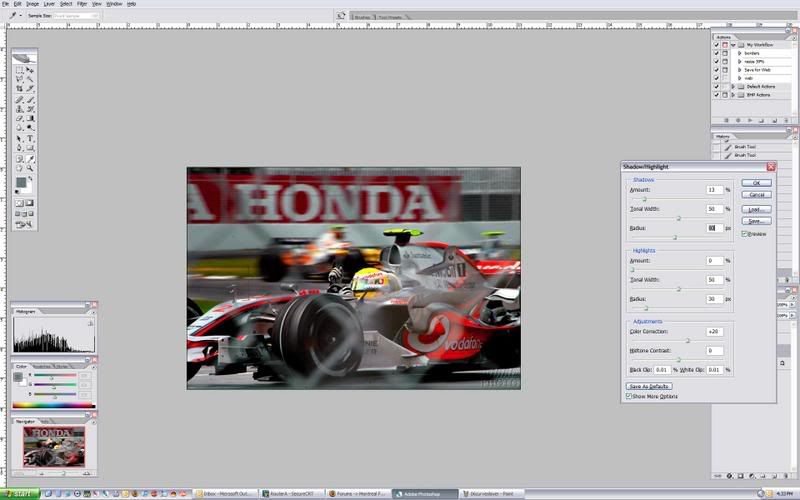
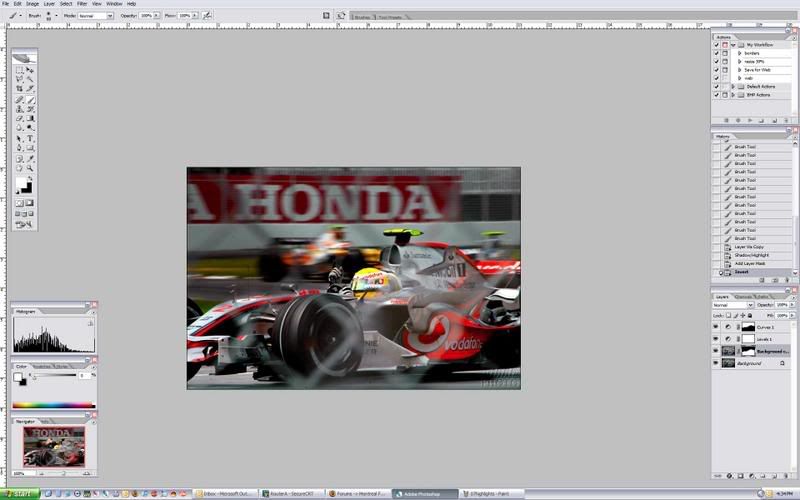
Step 5
Reduce the saturation.
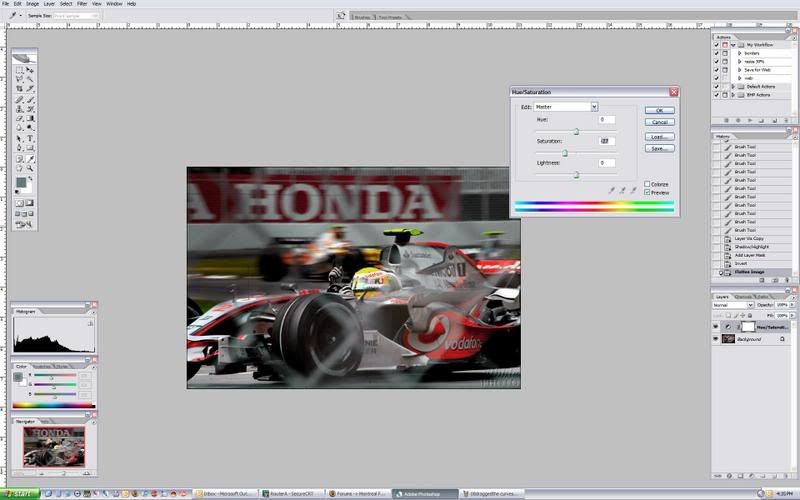
Step 6
Sharpened the image via USM.
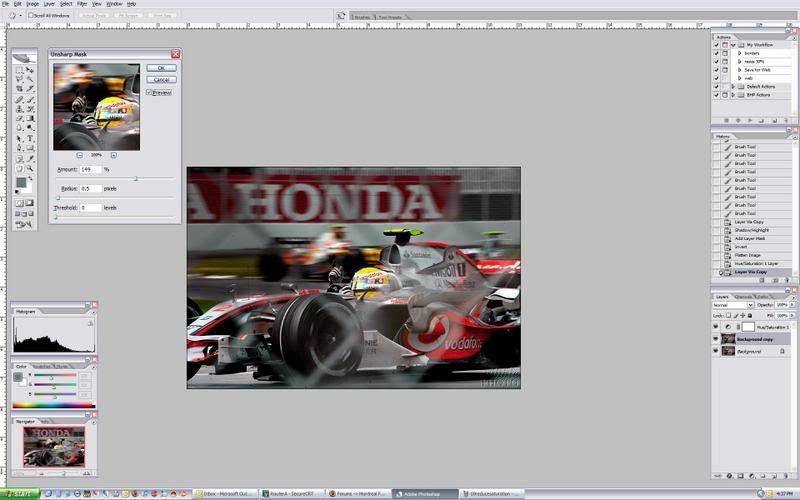
Before
After
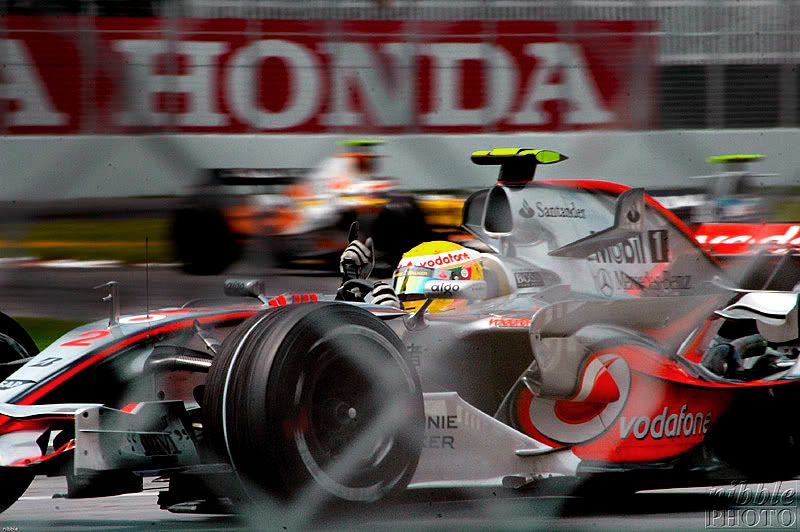
*** This is not my usual workflow. This is just an "on the fly" re-edit. ***
Quick & dirty 2min. post process of this pic.
Step 1
I fished around for the proper color temperature by using the midtone eyedropper. I choose a spot on the concrete, as that will give me a color close to neutral gray. Ideally, you would want to color balance on ACR w/ a RAW file.
Step 2
Added some contrast to the image via Levels.
Step 3
Reduce the curve. I want to reduce the background image, so that the subject pops out. I have a layer mask with the subject showing through the mask.
Step 4
Created a copy of the background layer. I bumped the shadows & dragged the curves layer mask. I then inverted the layer mask. Making the subject stand out even more.
Step 5
Reduce the saturation.
Step 6
Sharpened the image via USM.
Before
After


Joined: Oct 2004
Posts: 1,382
Likes: 0
From: Scotland
Please don't take this the wrong way but I prefer the original..!
A little unsharp mask would have been fine but the final shot shows clear noise in the bokeh of the chicken wire you had to shoot through which is not present in the original..!
Sorry
A little unsharp mask would have been fine but the final shot shows clear noise in the bokeh of the chicken wire you had to shoot through which is not present in the original..!
Sorry

Registered User
Joined: May 2005
Posts: 19,640
Likes: 0
From: Edinburgh
Also the white on the helmet and the highlights on the nosecone are now blown.
Actually, to be honest, I'd have canned the shot anyway due to the fence. Appreciate sometimes one has to shoot where one can.
Again, sorry Personal opinion and all that.
Actually, to be honest, I'd have canned the shot anyway due to the fence. Appreciate sometimes one has to shoot where one can.
Again, sorry
Personal opinion and all that.
Thread Starter
Joined: Dec 2002
Posts: 5,907
Likes: 2
From: NYC
Thanks for the comments guys! I don't get offended w/ criticisms on my work at all. No need to say sorry. I didn't take the pic & I was working on the 164kb file Nibble posted on the Metro forum. Nibble was asking for some post processing tips & I'd figure I print screen my workflow for this particular pic. Any criticisms on the workflow? Anything you would do differently?

Registered User
Joined: Jan 2005
Posts: 2,778
Likes: 0
From: Kona, HI
I like the change, I think it brings out the subject much more vividly. That being said I thought the original was good too (minus the fence, but hey, what are you gonna do?)
I'm still lost when it comes to layers and masks. How do you make a copy of just the background? Every time I try screwing around with it I end up frustrated and confused.
I've become a big fan of the history eraser. I've simply been making changes to the whole image, then using control (I think its control, it might be alt) clicking while on the eraser tool to undo the changes that I didn't want.
I'm still lost when it comes to layers and masks. How do you make a copy of just the background? Every time I try screwing around with it I end up frustrated and confused.
I've become a big fan of the history eraser. I've simply been making changes to the whole image, then using control (I think its control, it might be alt) clicking while on the eraser tool to undo the changes that I didn't want.
Registered User
Joined: Aug 2005
Posts: 6,242
Likes: 0
From: Branford, CT
To get shots through a fence, you need to open the lens up as much as possible (f/2.8) and get the glass as close to the wire as possible (even take off the lens hood). Last year I didnt have press creds and took some great shots through 2 barriers without a hint of wire or fencing.
The image is watermarked to hell, but you get the idea
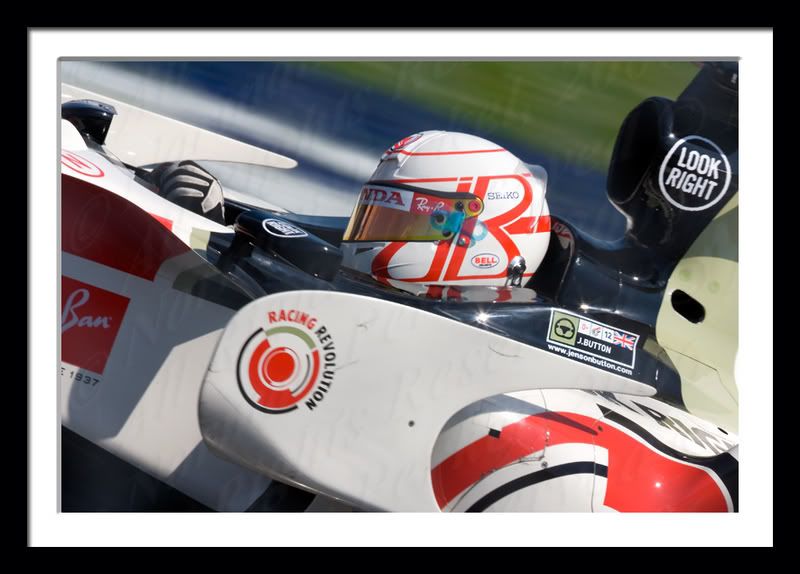
The image is watermarked to hell, but you get the idea
Trending Topics

Registered User
Joined: Aug 2006
Posts: 765
Likes: 0
From: Pacific Northwest
Originally Posted by F1-Fanatic,Jun 17 2007, 05:41 PM
...and get the glass as close to the wire as possible (even take off the lens hood).

