


please help me fix my highs





Joined: Dec 2004
Posts: 10,061
Likes: 324
From: Land of Cincinnati Chili

I know nothing will happen to the Diamond woofers. My concern is that the crossover for the tweeters will not be in the right place due to differences in the SEAS tweeter impedance compared to the Diamond tweeter. I guess I could spend $70 and see.

Registered User
Joined: Aug 2007
Posts: 7,712
Likes: 1
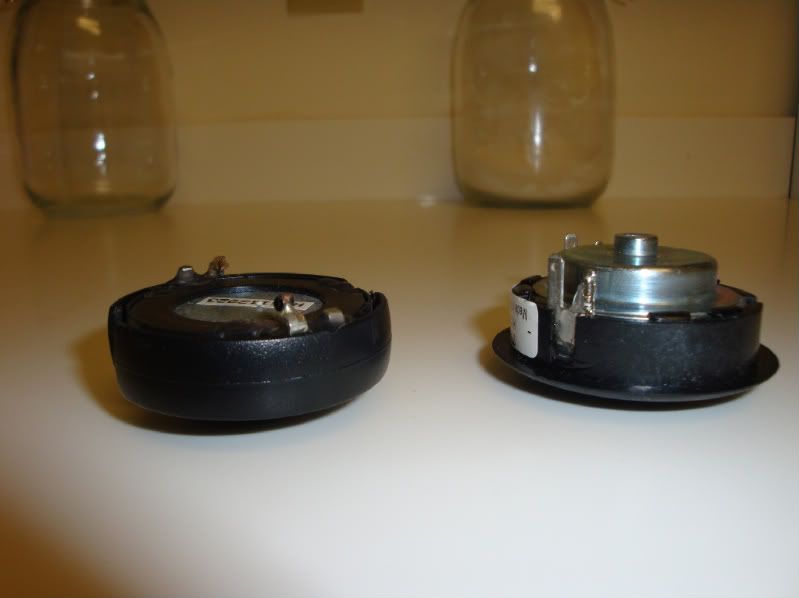
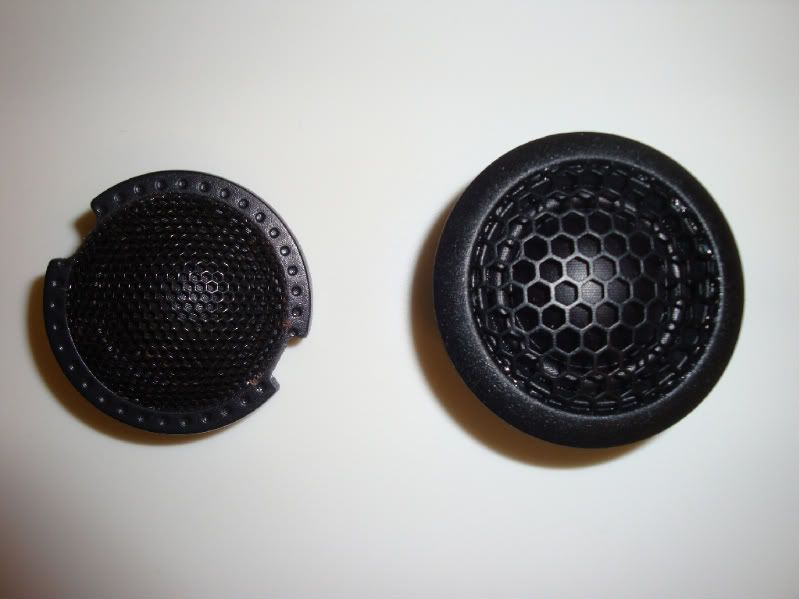
The response on the SEAS tweeters is so smooth, that a bit of a different crossover point/impedance is going to be negligible. It won't be the best performance out of the tweeters (you'd need to go active for that - btw, I might be selling my Audison 4-channel LRx 4.300  ), but it will still be an improvement over the Diamond tweeters.
), but it will still be an improvement over the Diamond tweeters.
Joined: Dec 2004
Posts: 10,061
Likes: 324
From: Land of Cincinnati Chili
Thanks. Saw your other thread. A little modification will be required to fit them and saw the stuff on the broken lead. I may give this a try. Especially since you already tried it with at least some sucess.

Former Moderator

Joined: Jan 2004
Posts: 24,770
Likes: 311
From: Stanmore
Neutered, glad you're back and posting.
Again, apologies for upsetting you, your knowledge is very valuable on here.
josserman, may I suggest you take some time to read the manual carefully?
First, make sure that you have the switch on the HU set to "Standard Mode" (Page 10)
Then, try running the Auto setup using the microphone that came with your HU. See page 68 of the manual and follow the instructions there, particularly these parts
Both of those apply to you, so make sure you have the settings on the power amp set as described there. The Auto EQ will set the crossovers beteen sub and components for you, as well as sorting the time alignment meaning you should get a decent stereo image.
That will at least give you a good starting point to work from.
If it still is no good, then perhaps try doing it manually (see page 55) and if it's still no good, try some new tweeters.
Again, apologies for upsetting you, your knowledge is very valuable on here.
josserman, may I suggest you take some time to read the manual carefully?
First, make sure that you have the switch on the HU set to "Standard Mode" (Page 10)
Then, try running the Auto setup using the microphone that came with your HU. See page 68 of the manual and follow the instructions there, particularly these parts
- When this unit is connected to a power amp with input level control, auto TA and EQ may not be possible if you lower power amp input level. Set the power amp’s input level to the standard position.
- When this unit is connected to a power amp with an LPF, turn off the LPF on the
power amp before carrying out auto TA and EQ. In addition, the cut-off frequency for built-in LPF of an active subwoofer should be set to the highest frequency.
- When this unit is connected to a power amp with an LPF, turn off the LPF on the
power amp before carrying out auto TA and EQ. In addition, the cut-off frequency for built-in LPF of an active subwoofer should be set to the highest frequency.
That will at least give you a good starting point to work from.
If it still is no good, then perhaps try doing it manually (see page 55) and if it's still no good, try some new tweeters.

Thread Starter
Registered User
Joined: Mar 2009
Posts: 3,055
Likes: 3
From: Westchester/Fairfield County
so yesterday night I did some playing around with the eq and curves and was able to get rid of the highs....... but after lovegroovas post above I realized I did really need to take that route. I had done an auto program when i first got the car before the amp and sub and it didn't work well as my speakers were underpowered. So I just did this now and OMG!!!! WOW i can't believe how much better the sound is. The highs are still maybe a tad bit bright form my taste so I may cut them a little with the eq, but all inall I am so impressed with how good this sounds I just want to go sit in my car all day now and listen to music 


Former Moderator
Joined: Jan 2004
Posts: 24,770
Likes: 311
From: Stanmore
You may be able to use one of the "Custom EQ" settings to mimic those achieved by the auto setup. Have a look and see if it's possible.
Failing that, have a play with the Custom 2 EQ setting (see page 66). Play with the levels of each frequency band on the EQ, one at a time, and see how the overall sound is affected. you don't have to do all 16, but try the 50, 1.25k, 5k, 8k, and 12.5k and see how those go.
Don't go too crazy, things are probably best with most of the settings flat.
Failing that, have a play with the Custom 2 EQ setting (see page 66). Play with the levels of each frequency band on the EQ, one at a time, and see how the overall sound is affected. you don't have to do all 16, but try the 50, 1.25k, 5k, 8k, and 12.5k and see how those go.
Don't go too crazy, things are probably best with most of the settings flat.

Thread
Thread Starter
Forum
Replies
Last Post
JD NC
S2000 Electronics
5
Dec 5, 2013 05:28 PM