


Looking for tips/tricks for removing dash & console panels


Thread Starter
Joined: Dec 2015
Posts: 28
Likes: 0
From: Nevada City, CA
 Looking for tips/tricks for removing dash & console panels
My search-fu must be weak, because while I've found useful tips for removing the top of the center console and the radio door assembly, I can't find any tips & tricks for removing the plastic panels on the underside of the dash & side panel forward of the console. This is on an AP2 (2007), BTW.
I'm trying to get at the wiring for the dash controls for the radio:

To do so, I think I need the get this panel just below the dash controls off:

And remove this little side panel forward of the console & below the head unit:
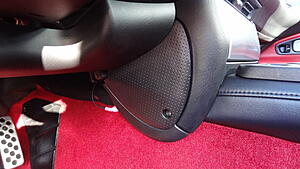
The lower panel has a fastener that you turn like a screw, which I've done. The side panel has a phillips head screw, which I've removed. Still, neither panel wants to budge. Any tips for getting these off without destroying them?
Thanks in advance...
I'm trying to get at the wiring for the dash controls for the radio:

To do so, I think I need the get this panel just below the dash controls off:
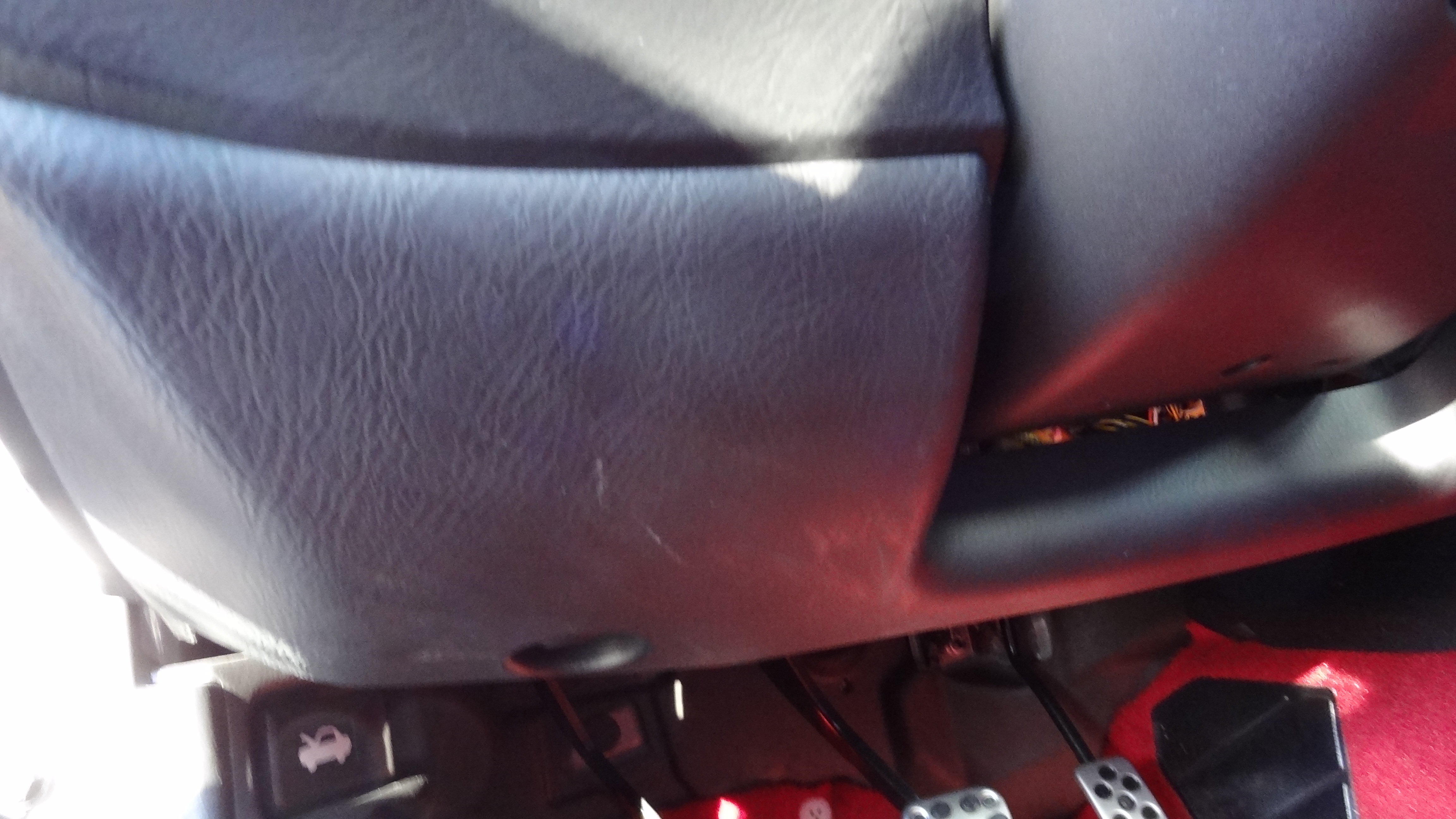
And remove this little side panel forward of the console & below the head unit:
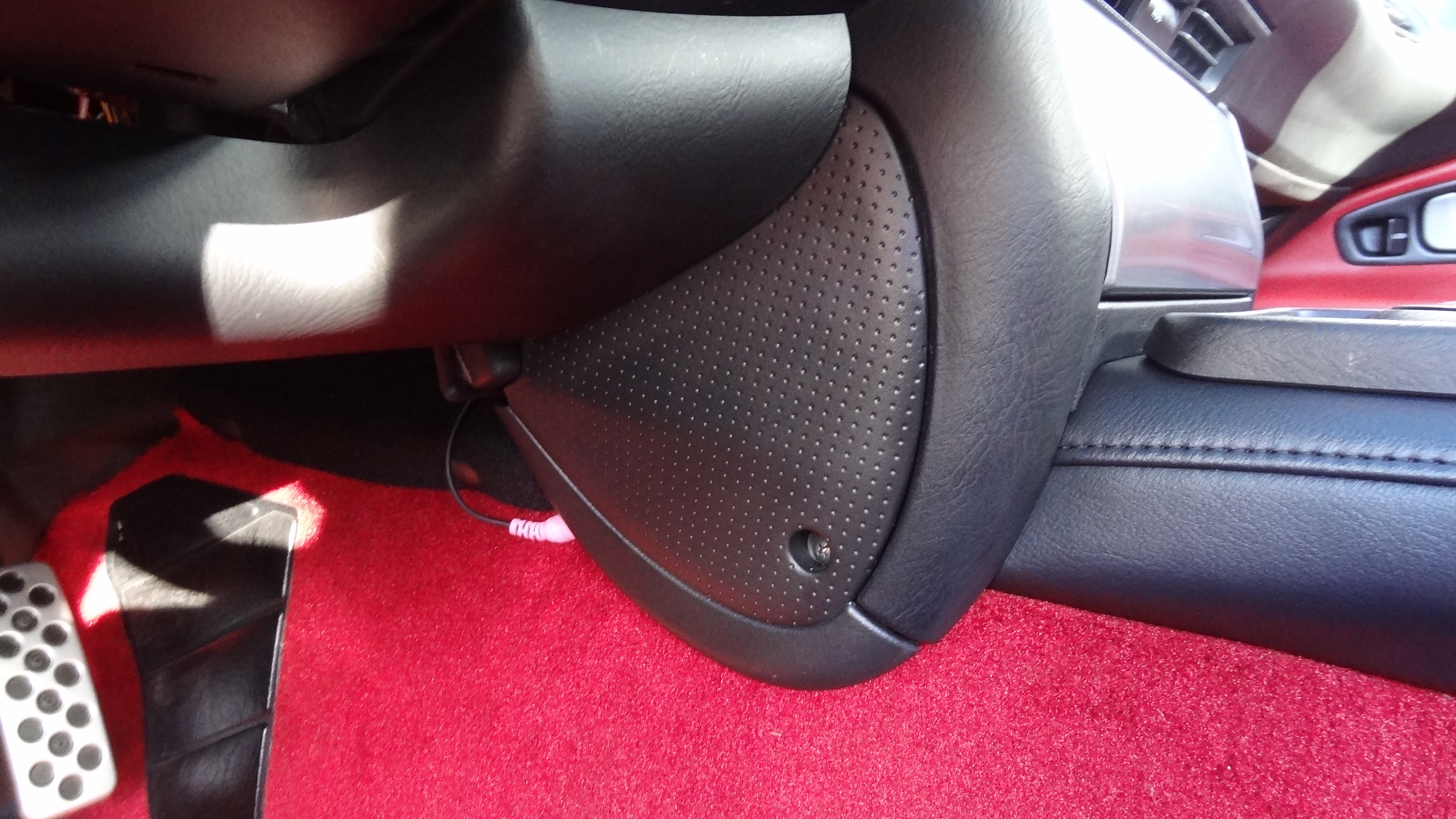
The lower panel has a fastener that you turn like a screw, which I've done. The side panel has a phillips head screw, which I've removed. Still, neither panel wants to budge. Any tips for getting these off without destroying them?
Thanks in advance...


Joined: Jul 2008
Posts: 1,315
Likes: 21
From: Houston
Hi, are you trying to get to the dash controls to install a DCI? If so, you should be able to splice in to the radio harness behind the head unit (for DCI units like the one offered by Modifry). If not, then read on!
There is an excellent write up on the disassembly process here, but the photos are no longer there.
https://www.s2ki.com/s2000/index.php...&f=22&t=601913
Alternatively, you can reference Qube Engineering's install guide for the relevant disassembly instructions.
http://www.qube-engineering.com/Documentation.html
There is an excellent write up on the disassembly process here, but the photos are no longer there.
https://www.s2ki.com/s2000/index.php...&f=22&t=601913
Alternatively, you can reference Qube Engineering's install guide for the relevant disassembly instructions.
http://www.qube-engineering.com/Documentation.html
Thread Starter
Joined: Dec 2015
Posts: 28
Likes: 0
From: Nevada City, CA
Hi, are you trying to get to the dash controls to install a DCI? If so, you should be able to splice in to the radio harness behind the head unit (for DCI units like the one offered by Modifry). If not, then read on!
There is an excellent write up on the disassembly process here, but the photos are no longer there.
https://www.s2ki.com/s2000/index.php...&f=22&t=601913
Alternatively, you can reference Qube Engineering's install guide for the relevant disassembly instructions.
http://www.qube-engineering.com/Documentation.html
There is an excellent write up on the disassembly process here, but the photos are no longer there.
https://www.s2ki.com/s2000/index.php...&f=22&t=601913
Alternatively, you can reference Qube Engineering's install guide for the relevant disassembly instructions.
http://www.qube-engineering.com/Documentation.html
To give a little more background, I replaced an aftermarket Alpine head unit with a Kenwood. The old Alpine already had an adaptor to make the dash controls work, but it was not compatible with the Kenwood, so I got one that was/is. Problem is, I can't even find the original adaptor - but it's definitely not accessible in the area behind the head unit. Nothing in there but bundles of spliced wires. So... my plan was to splice in to the dash controls directly with the new adaptor & then connect it to the single wire that comes out of the Kenwood for the dash controls. If I can get those lower plastic trim pieces off - basically the ones below the steering column, at least I can see what I'm up against. Is there some trick to getting these off? So magic to getting the clips to release?
Thanks again for your help.
Joined: Jul 2008
Posts: 1,315
Likes: 21
From: Houston
Np, just keep in mind that you do not need to completely drop the steering column. The bolts just need to be loosened enough to provide clearance for the cluster removal.
I highly recommend contacting the previous owner of your S to get some insight into what kind of dash control interface (DCI) was installed, and where. If you have a Modifry DCI, it should work with both Alpine and Kenwood head units with a few changes to the DCI switch settings. Do you have any photos of the wiring behind your head unit, that you can share?
Here are a few photos for reference:
--------------------------------------------
My Modifry DCI taken when it was first installed. It is quite small and could potentially be easy to miss.

This is a photo of the spliced harness:

I highly recommend contacting the previous owner of your S to get some insight into what kind of dash control interface (DCI) was installed, and where. If you have a Modifry DCI, it should work with both Alpine and Kenwood head units with a few changes to the DCI switch settings. Do you have any photos of the wiring behind your head unit, that you can share?
Here are a few photos for reference:
--------------------------------------------
My Modifry DCI taken when it was first installed. It is quite small and could potentially be easy to miss.
This is a photo of the spliced harness:


Joined: Sep 2004
Posts: 1,574
Likes: 62
From: NJ USA
You definitely don't need/want to tap into the dash controls behind them - they connect to
the OEM headunit through two wires in the harness that plugs into the headunit, one for the mute
switch and one for all the rest of the controls.
Here is the connector view with harness wire colors, compliments of Kronn 98SH:

the OEM headunit through two wires in the harness that plugs into the headunit, one for the mute
switch and one for all the rest of the controls.
Here is the connector view with harness wire colors, compliments of Kronn 98SH:
Thread Starter
Joined: Dec 2015
Posts: 28
Likes: 0
From: Nevada City, CA
I had exactly two wires left over from the new Kenwood head unit, one labeled 'Remote' and the other 'Mute', but the old Alpine used a 3.5mm jack as input - not the wires. I cut the jack & tried every combination of the remaining wires but couldn't get the dash controls to work. The other thing the guys at Crutchfield told me was that, even if I got the wires connected properly, I'd have to reset/switch the adapter somehow since Alpines & Kenwoods don't use the same signalling protocol. Since I can't event find that adapter, that will be tough to do.
Thanks for the wiring diagram. Now at least I know what the original Honda wire from the dash controls to the head unit should look like. Problem is the head unit was already non-OEM and a non-OEM adapter already installed - somewhere - so no telling if that GRN/RED wire still goes where it should. Whoever installed the Alpine did a hell of a job - no wire is more than 1/4 inch longer than its absolute minimum length to get the job done. No slack makes it bloody had to work with.
Anyway, thanks for the guidance & I may psych myself up to trying one last time to use the current adapter.
Thread Starter
Joined: Dec 2015
Posts: 28
Likes: 0
From: Nevada City, CA
Np, just keep in mind that you do not need to completely drop the steering column. The bolts just need to be loosened enough to provide clearance for the cluster removal.
I highly recommend contacting the previous owner of your S to get some insight into what kind of dash control interface (DCI) was installed, and where. If you have a Modifry DCI, it should work with both Alpine and Kenwood head units with a few changes to the DCI switch settings. Do you have any photos of the wiring behind your head unit, that you can share?
I highly recommend contacting the previous owner of your S to get some insight into what kind of dash control interface (DCI) was installed, and where. If you have a Modifry DCI, it should work with both Alpine and Kenwood head units with a few changes to the DCI switch settings. Do you have any photos of the wiring behind your head unit, that you can share?
Trending Topics
Joined: Sep 2004
Posts: 1,574
Likes: 62
From: NJ USA
if you follow that 3.5mm plug, you'll come to the dash control interface, and depending on the DCI
manufacturer at least the dash switch wire, and maybe the mute wire will be attached. Be careful
with the mute wire - it supplies +12v and if shorted to ground while powered will blow the circuit
(always a good idea to disconnect the battery when working on electronics). BTW, the mute wire, like
the remote wire, needs to be processed by an interface rather than hooked directly to the corresponding
wires from the headunit.
manufacturer at least the dash switch wire, and maybe the mute wire will be attached. Be careful
with the mute wire - it supplies +12v and if shorted to ground while powered will blow the circuit
(always a good idea to disconnect the battery when working on electronics). BTW, the mute wire, like
the remote wire, needs to be processed by an interface rather than hooked directly to the corresponding
wires from the headunit.
Thread Starter
Joined: Dec 2015
Posts: 28
Likes: 0
From: Nevada City, CA
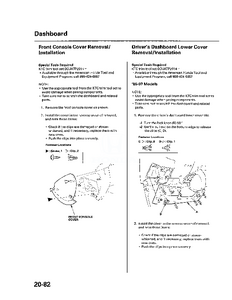
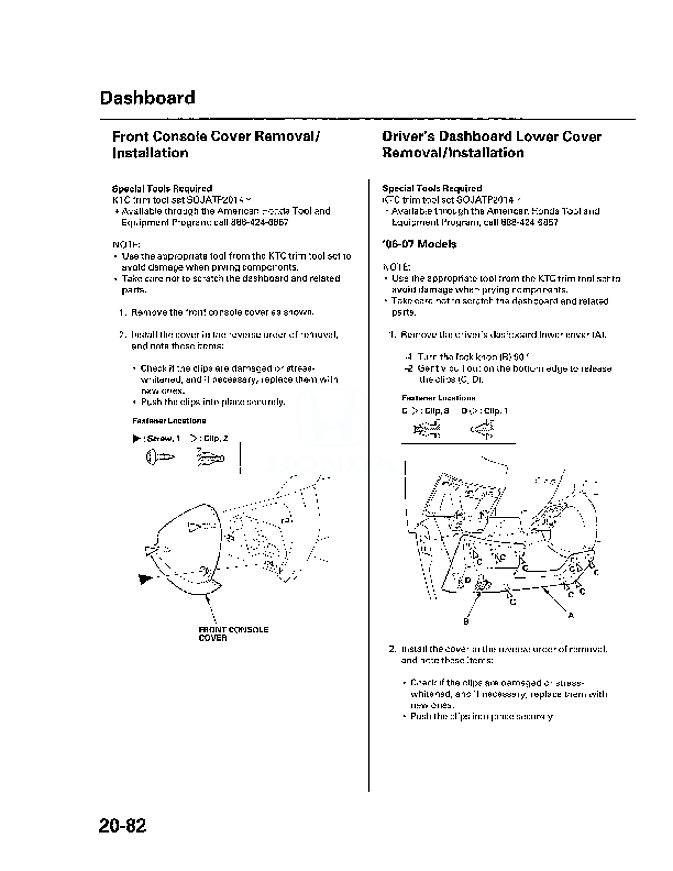
For anybody that's looking for an answer to the question I originally posted here, I found this diagram of the panels in question in an online manual. Useful, at least, for figuring out where the clips are.

Thread
Thread Starter
Forum
Replies
Last Post
rsxer
S2000 Modifications and Parts
4
Jul 26, 2010 10:33 AM

